Gameplay Design
This page showcases the work I did on projects where I held the role of a Gameplay Designer.
Third-Person
Melee Combat
Pirates!
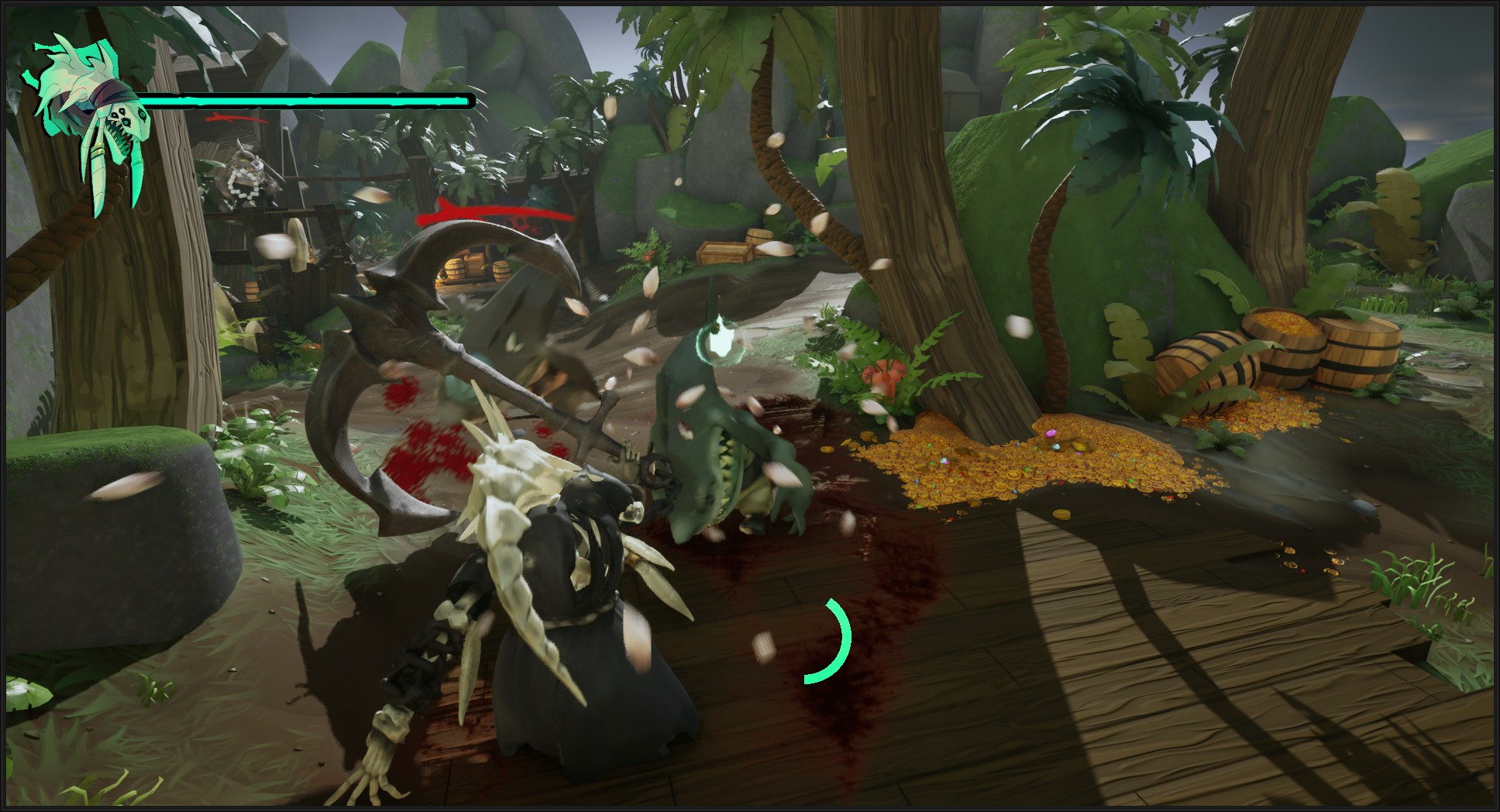
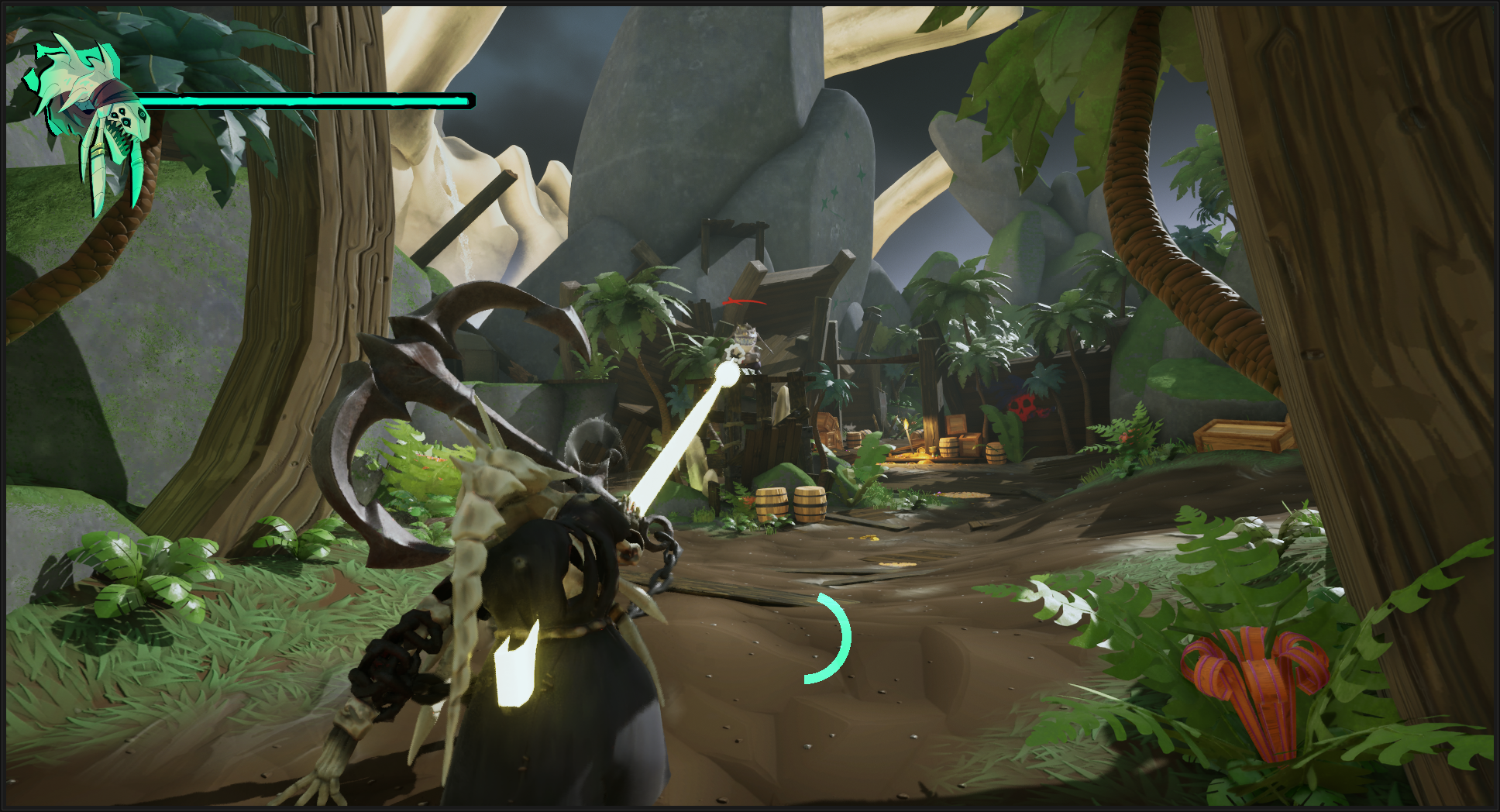
Dread Anchor is a 3D Third-Person Melee Combat Pirate Game where you play as the undead pirate Captain Blackfish, a humanoid orca who wields a massive anchor. You made a deal with Davy Jones to temporarily rise up and get revenge on your mutinous crew. Wield your deadly anchor to deliver powerful crushing blows, hurl it to hook enemies, and guard against their savage attacks.
Project Overview
GAMEPLAY DESIGNER | Designing and implementing features, creating and balancing combat encounters.
LEVEL DESIGNER | Defining gameplay metrics, blocking out gameplay spaces, designing moment-to-moment player experience.
PROGRAMMER/TECHNICAL DESIGNER | Feature implementation, tool creation, systems design, bug fixing and optimization.
My Roles
Accomplishments - Gameplay Design
Handled GDD Documentation
Early in the project we reached the point where we wanted to validate our design, and based on that design I decided to learn how to use UE’s Gameplay Ability System to prove out our gameplay.
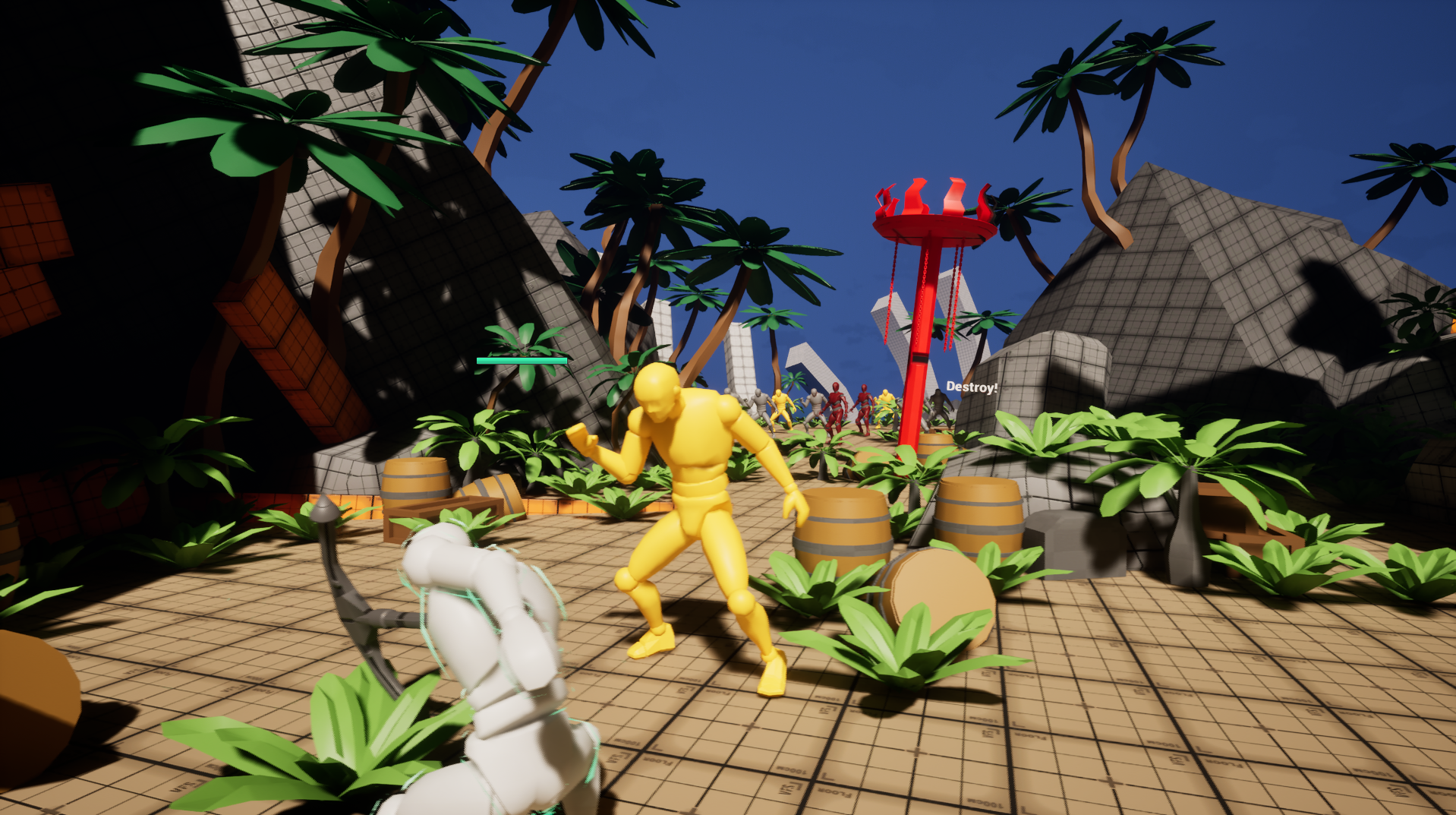
Over the duration of two months I learned the system and used it to create our core gameplay mechanics using both Blueprints and C++.
Some of those core mechanics include:
2 Player Attacks
Low Damage Sweeping Melee Attack Combo
High Damage Overhead Melee Attack
3 Enemy Attacks
Close Range Melee “Bite” Attack
Long Range Projectile “Pistol” Attack
Medium Range Melee “Ram” Attack
Hit Reactions
Player Power Up State
Gameplay Prototyping with UE’s Gameplay Ability System (GAS)
Early in the project we reached the point where we wanted to validate our design, and based on that design I decided to learn how to use UE’s Gameplay Ability System to prove out our gameplay.
Over the duration of two months I learned the system and used it to create our core gameplay mechanics using both Blueprints and C++.
Some of those core mechanics include:
2 Player Attacks
Low Damage Sweeping Melee Attack Combo
High Damage Overhead Melee Attack
3 Enemy Attacks
Close Range Melee “Bite” Attack
Long Range Projectile “Pistol” Attack
Medium Range Melee “Ram” Attack
Hit Reactions
Player Power Up State
Implemented Gameplay Mechanics Using Blueprints and C++
After prototyping with GAS and determining that it was overkill for the scope of our project I instead implemented our mechanics without GAS.
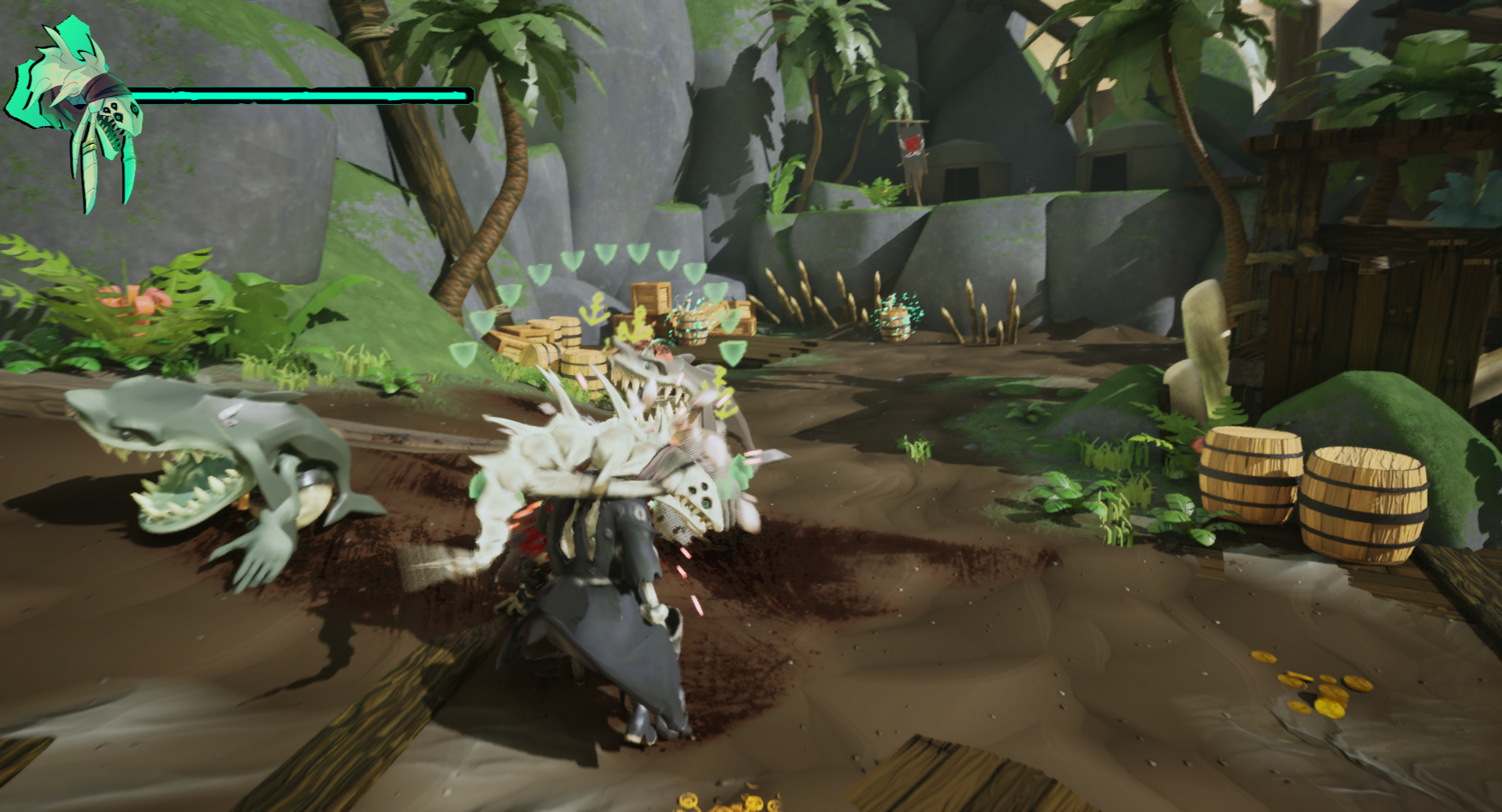
I programmed the following gameplay mechanics using both Blueprints and C++
3 Player Abilities
3 Hit Anchor Melee Attack Combo
Anchor Throw Attack
Anchor Block
3 Enemy Abilities
Melee “Bite” Attack
Long Range Projectile “Cannon” Attack
3 Hit “Bite” Attack Combo
Hit Reactions
Created Enemy AI Behavior with UE’s State Trees
We wanted the player to feel that they are fighting a crew of pirates, and so we needed enemies of different types to sell the “hierarchy” of a crew.
Deciding to use UE’s State Trees over Behavior Trees was a tough decision, I sought advice from many industry mentors and from their feedback I gathered that State Trees could be the better choice in the long run.
Learning this system was a tough given the limited online resources due to how recently the system had come out at the time. Despite this I managed to learn enough to create a modular set up to create 3 enemy behavior types:
Lemon Shark - Melee “Popcorn” Enemy
Melee Bite Attack
Great White Shark - Ranged Enemy
Projectile Cannon Attack
Hammerhead Shark - Melee “Tank” Enemy
3 Hit Melee Bite Attack Combo
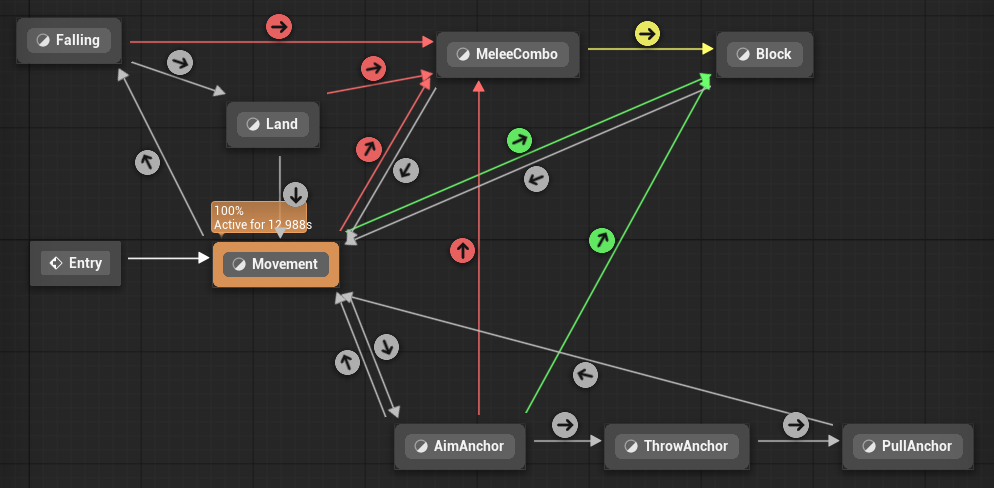
Used UE’s ABP State Machine for Character Abilities
Given the genre and camera of this game it was very important that the characters never be doing anything other than what the animation was doing.
Working alongside a programming collaborator we discerned that we could use the State Machine inside UE’s Anim Instance blueprint to drive the logic for what characters can or can’t do.
This framework allowed us to have easy control over the transitions between actions for the characters.
For example, on the player’s input calls we’d use the “Request Transition” function to try and switch to the defined state. Depending on the current state the character is in would determine if they are allowed to enter that state.
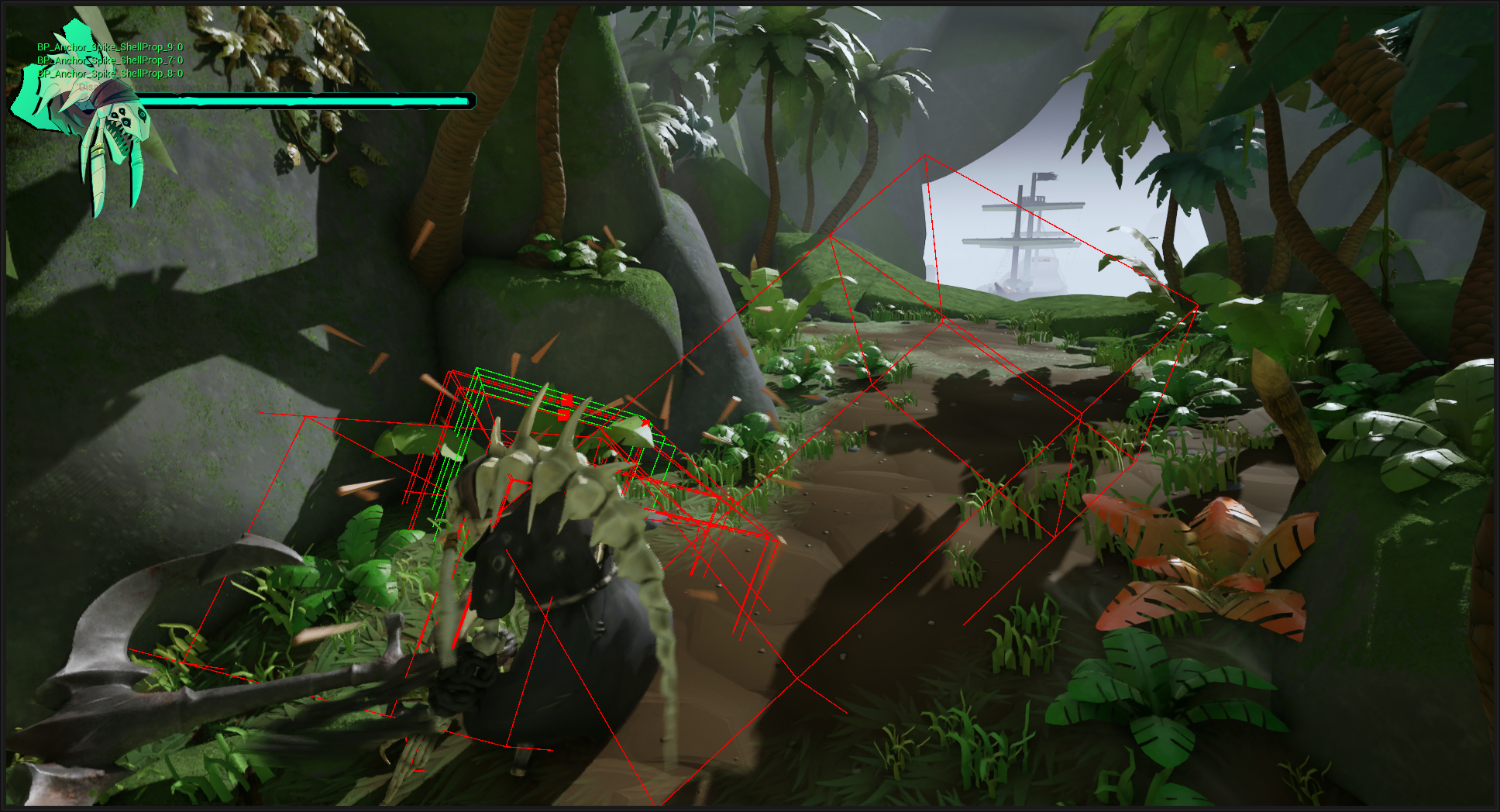
Created Hit Box Trace Component for Melee Attacks
Part of the combat feel we wanted to go for with the anchor was powerful, impactful hits. Trying to achieve that with a generic trace in front of the character wasn’t selling it as well as we wanted.
So I created an Actor Component that integrated with the damage system to store the functionality for Starting and Stopping an Box Overlap Trace.
Using an Anim Notify State inside the attack Animation Montages I defined active frames where the traces were drawn in path following the defined transforms.
For the anchor, this meant traces being drawn following the path of the anchor swing during the attack. This immensely helped sell the feeling of the anchor impacts especially in large groups of enemies as they would sequentially get hit.
Created HUD Elements using UE’s Common UI
As part of the overall framework using UE’s Common UI to build all the UI in our game I had to use it to create the HUD elements as well.
This way it works seamlessly with the rest of the UI elements most notably when switching game states such as pausing or when the player dies.
Common UI brings a lot of extra functionality to boost the quality of a projects UI as well as handles common frustrations developers deal with while working with UI.
A great example is that it handles the deactivation of any active UI elements when another is activated, preventing any strange overlay issues.
I dove into Epic’s Lyra project sample, reverse engineering how they used this system to set up their UI framework. Much of it was quite advanced and deemed overkill for a project of our scope so for the most part was taking inspiration for the basic set up and simplifying it.